
Put a customer's name on a sale
Attach a customer to a ticket so the sale shows in their history and on their invoice.
Where to find it Open this screen in Quid POS
You do not need a customer for an ordinary cash sale. Add one when:
- the customer wants their name on the receipt or invoice,
- you are selling on account (pay later),
- you are making a quote,
- you want to see later what this customer bought.
Steps
- On the register, click the orange person button above the ticket.
- Choose Customer.
- Start typing the customer's name, phone number or email. Matching customers appear underneath.
- Click the right one, then click Submit.
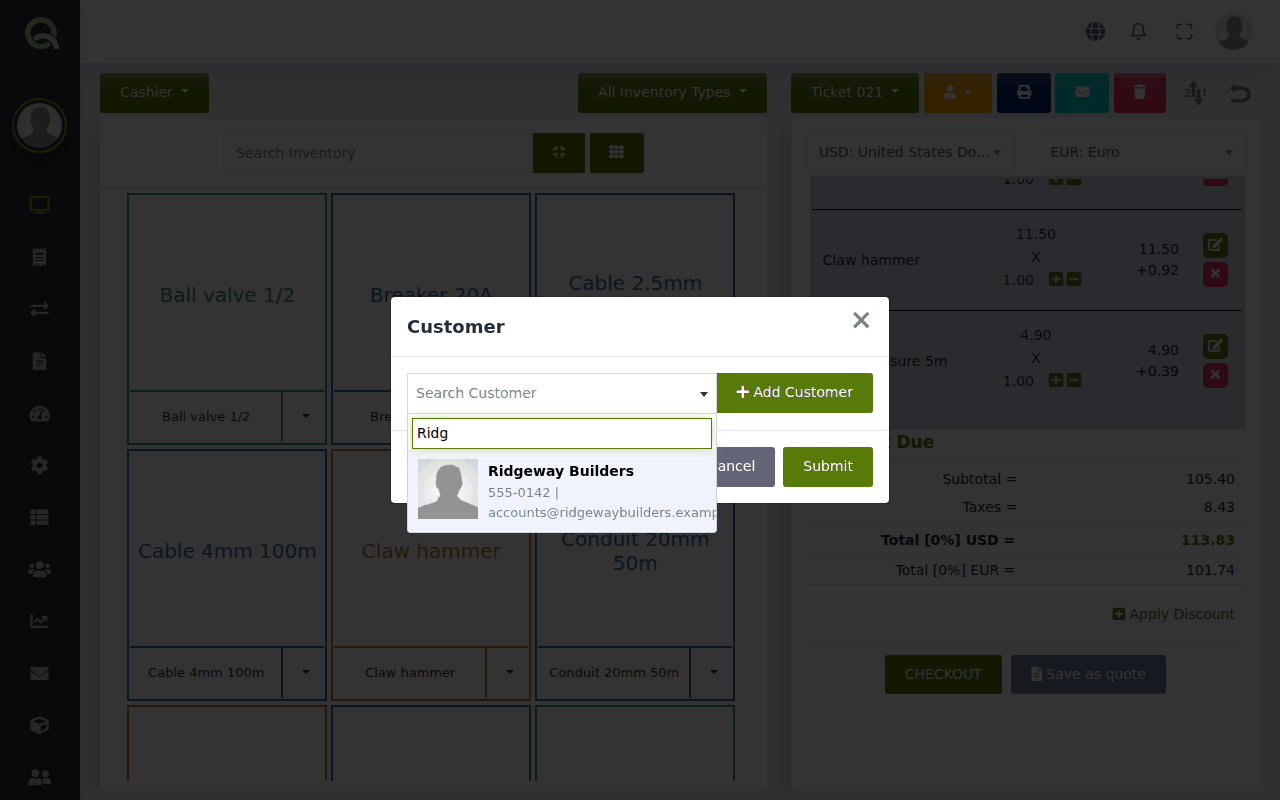
The customer's name now shows on the ticket.
The customer is new
In the same box, click Add Customer, fill in at least their name, and save. They are added to your customer list and attached to this sale in one go.
Wrong customer?
Click the person button and choose Customer again, then pick the right one.
What is a "Referrer"?
The same button also offers Referrer. A referrer is a person or business that sends customers to you and earns a commission, for example a tour guide or a contractor. Most shops never use it. See Referrers: pay commission to people who send you customers.
NextServe several customers at once (open tickets) →Did this answer your question? If not, email us and tell us what you were trying to do. We read every message.