
Sell on credit (customer accounts)
Let a trusted customer take goods now and pay later. Quid keeps a running total of what each one owes.
Selling on account means the customer takes the goods today and you add the amount to what they owe you. Later they pay you, all at once or in parts.
Step 1: switch on the account for a customer (once)
- Go to and open the customer.
- Click Edit Customer.
- Switch Account (sell on credit) to Yes.
- Type a Credit limit: the most you are willing to let them owe, for example 2500. Leave the box empty for no limit.
- Type the Payment terms (days): how long they have to pay, for example 30.
- Save.
Only customers with the account switched on can buy on credit. Everyone else must pay at the counter.
Step 2: make the sale
- Ring up the items on the register.
- Attach the customer. See Put a customer's name on a sale.
- Click CHECKOUT.
- Open the drop-down list next to Amount Received and choose On account. It shows the customer's name and what they owe now.
- Click Complete.
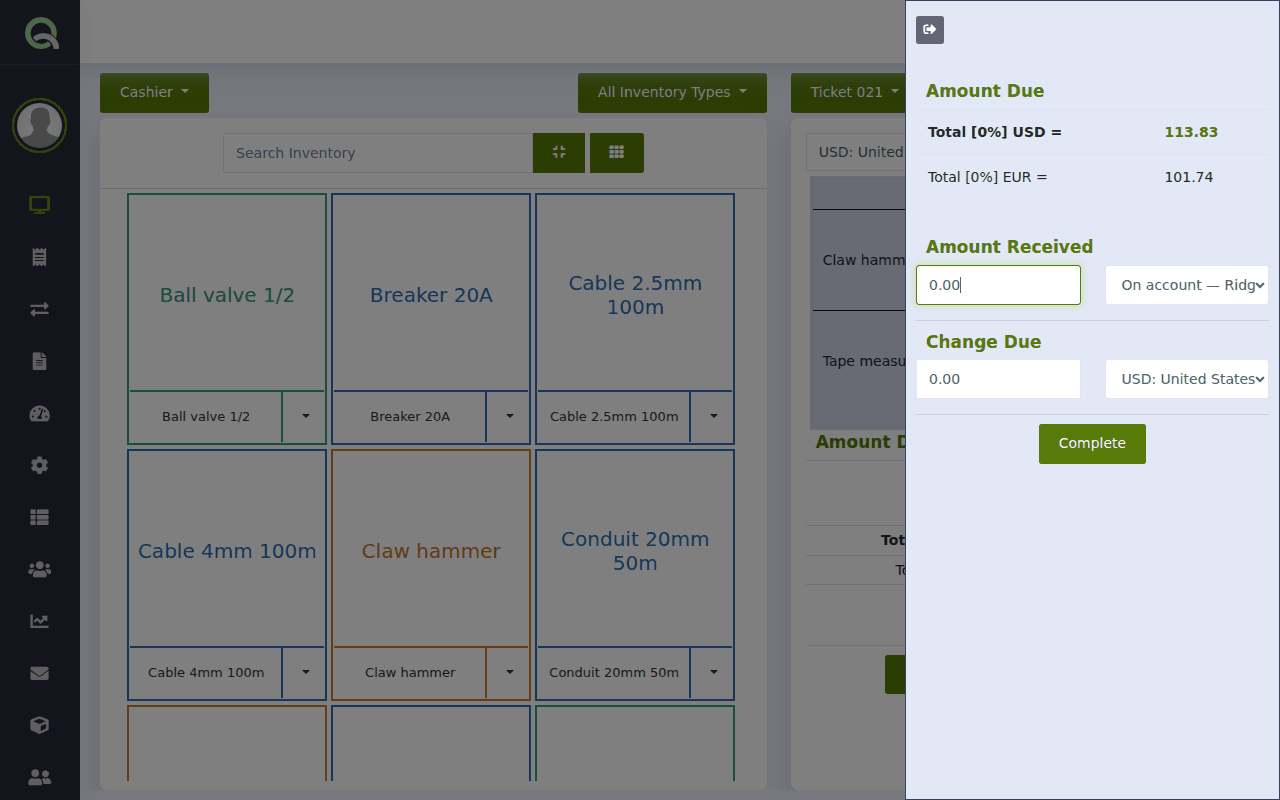
The sale is finished and the goods leave your stock. The total is added to the customer's balance.
The customer can also pay part now and the rest on account: enter the cash or card amount first and click Complete, then choose On account for the remainder. See Take payment: cash, card, or a mix.
See who owes you
- , then click Owes: every customer with a balance.
- : the total "Owed by customers". See The Overview page: your business at a glance.
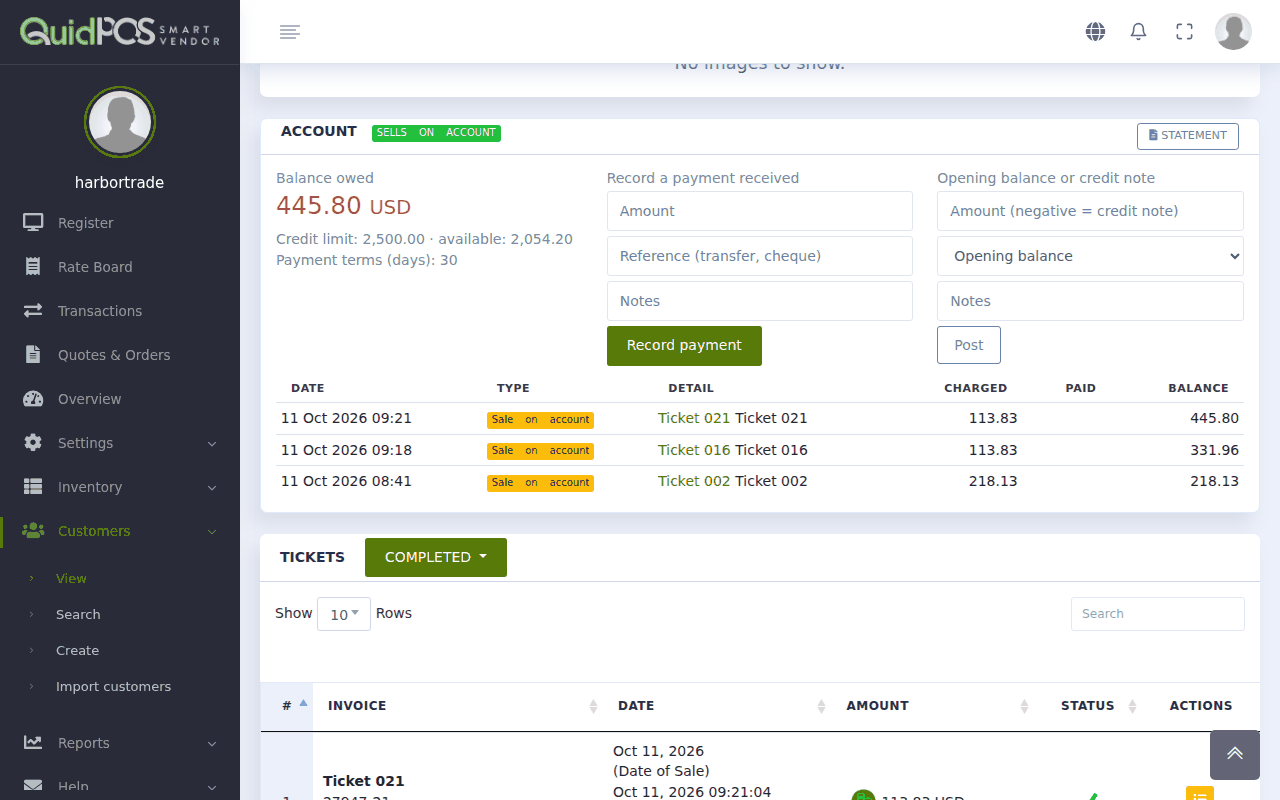
- Open a customer to see their Account panel: balance, credit limit, how much credit is still available, and every sale and payment.
When they pay
See Record a payment from a customer who owes you.
The customer already owed money before you started using Quid
Open the customer and use Opening balance or credit note: type the amount they owe, choose "Opening balance", and save. Or bring opening balances in with your customer spreadsheet. See Load items, customers or stock from a spreadsheet.
What happens when a sale would take the customer over their credit limit?
Quid refuses to put it on the account and shows a message with the limit, the current balance and the amount of this sale. Take a payment first, have the customer pay part of this sale in cash, or raise the limit on the customer's page.
I voided a sale that was on account. Is the balance corrected?
Yes. The amount comes off the customer's balance automatically.
How do I give a credit note?
Open the customer, and under Opening balance or credit note type the amount as a negative number (for example -50), choose "Adjustment", add a note saying why, and save.