
Your online store
A public web shop, or a private price list your own customers order from. Either way the orders arrive in Quid.
The online store is a simple website where customers can see your items and place orders. It gets its own address: yourname.quidpos.com. Orders arrive in Quid and use the same stock as your shop sales.
It can work in two ways:
- A public shop: anyone can look, and customers pay by card when they order.
- A private price list for your own customers: they sign in with a personal link, see your stock and prices, and send you orders without paying online. See the section below.
Switch it on
- Go to , open Add-Ons and switch on Enable Online Store.
- A new menu, , appears.
If you cannot switch it on, write to us and we will sort it out.
Set up your store
Go to and fill in:
- Your store address (the part before .quidpos.com). Choose something short, like your business name.
- Your store's name, description, opening hours and contact details.
- Whether you offer pickup, delivery, or both, and the areas you deliver to.
- A message shown to customers at checkout, such as delivery instructions.
Choose what to sell online
An item appears in the online store only when Sell Online is ticked on it.
- Go to and edit an item.
- Tick Sell Online.
- Make sure it has a clear picture and a description. Online, the customer cannot pick the item up, so the picture and words do the selling.
Taking payment online
To be paid by card in the store, connect Stripe and enable it for the online store. See Card payments. A public store needs this: its checkout ends with the card payment. To take orders without any online payment, use the private price list described below.
Orders
New orders appear under , and Quid sends you a notification (the bell at the top right). Open an order to see what was ordered and by whom, then prepare it.
Messages from customers arrive under .
A private price list for your own customers
If you sell to regular customers (dealers, installers, shops), the online store can work as a private price list instead of a public shop. Your customers sign in with a personal link, see your stock and prices as they are right now, and send you orders. Nobody pays online: each order arrives in Quid for you to confirm.
Set it up. Go to and open Trade store:
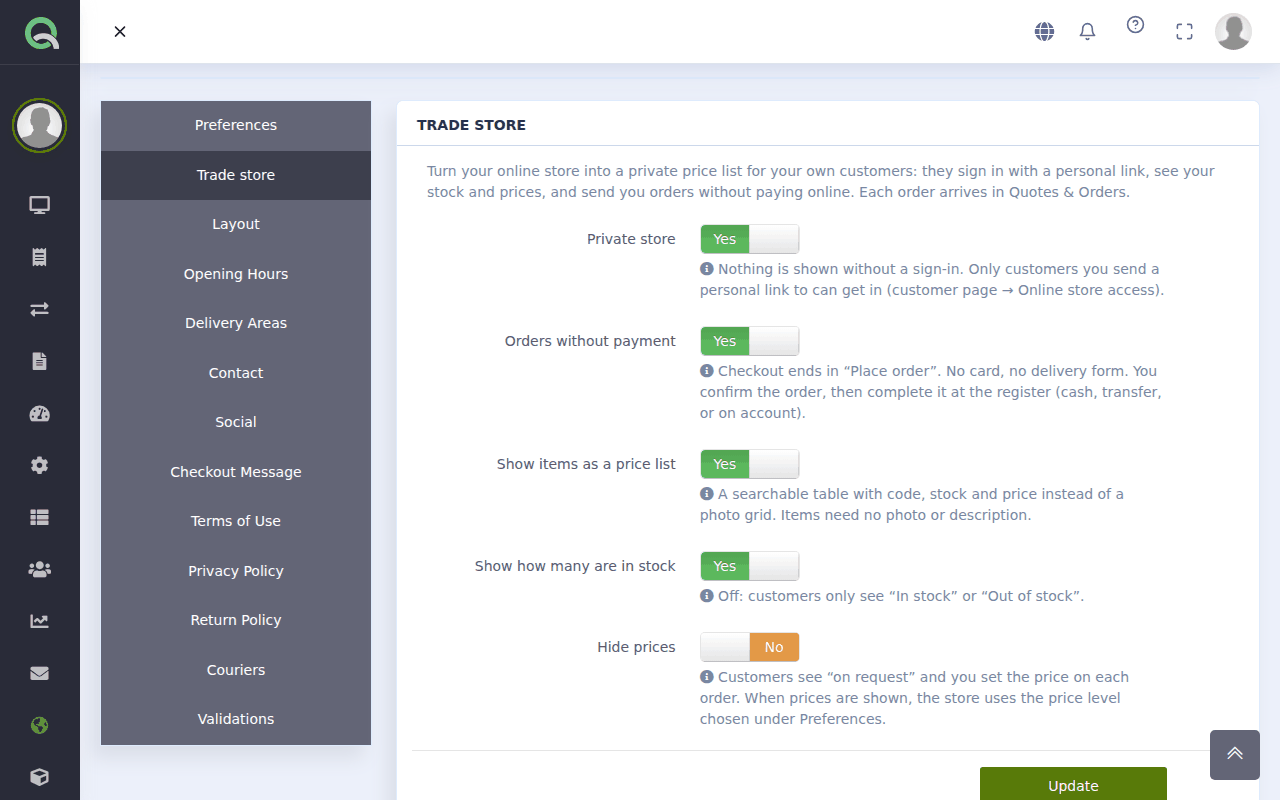
- Private store: nothing is shown without a sign-in, and only customers you invite can sign in.
- Orders without payment: checkout ends in Place order. No card and no delivery form.
- Show items as a price list: a searchable table with code, stock and price. Items need no picture or description.
- Show how many are in stock: switch it off and customers only see "In stock" or "Out of stock".
- Hide prices: customers see "on request" and you set the price on each order.
Under Items in the store, Put all active items in the store adds your whole inventory in one click. The price customers see is the price level chosen under Preferences.
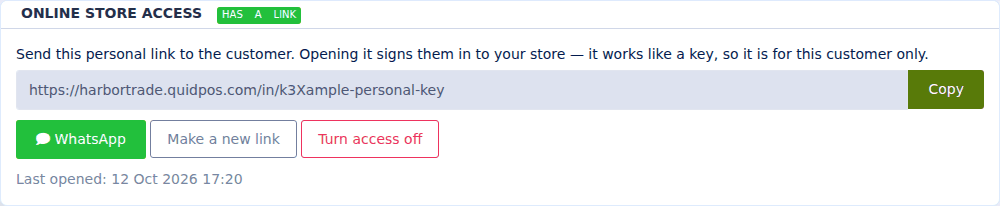
Invite a customer. Open the customer under and find Online store access.
- Press Create the link.
- Send the link with WhatsApp or Copy. Opening it signs the customer in. They need no password.
- The link works like a key for that one customer. Make a new link replaces it (the old one stops working) and Turn access off signs the customer out.
When an order comes in. You get a notification (the bell at the top right), and the order is in and among the open tickets on the register, marked online store, with the customer's note. Change prices or quantities if you need to, then complete it like any sale: cash, card, or on account. Stock goes down when the sale is completed, not when the order is placed. See Quotes and orders: follow a deal from offer to sale and Sell on credit (customer accounts).
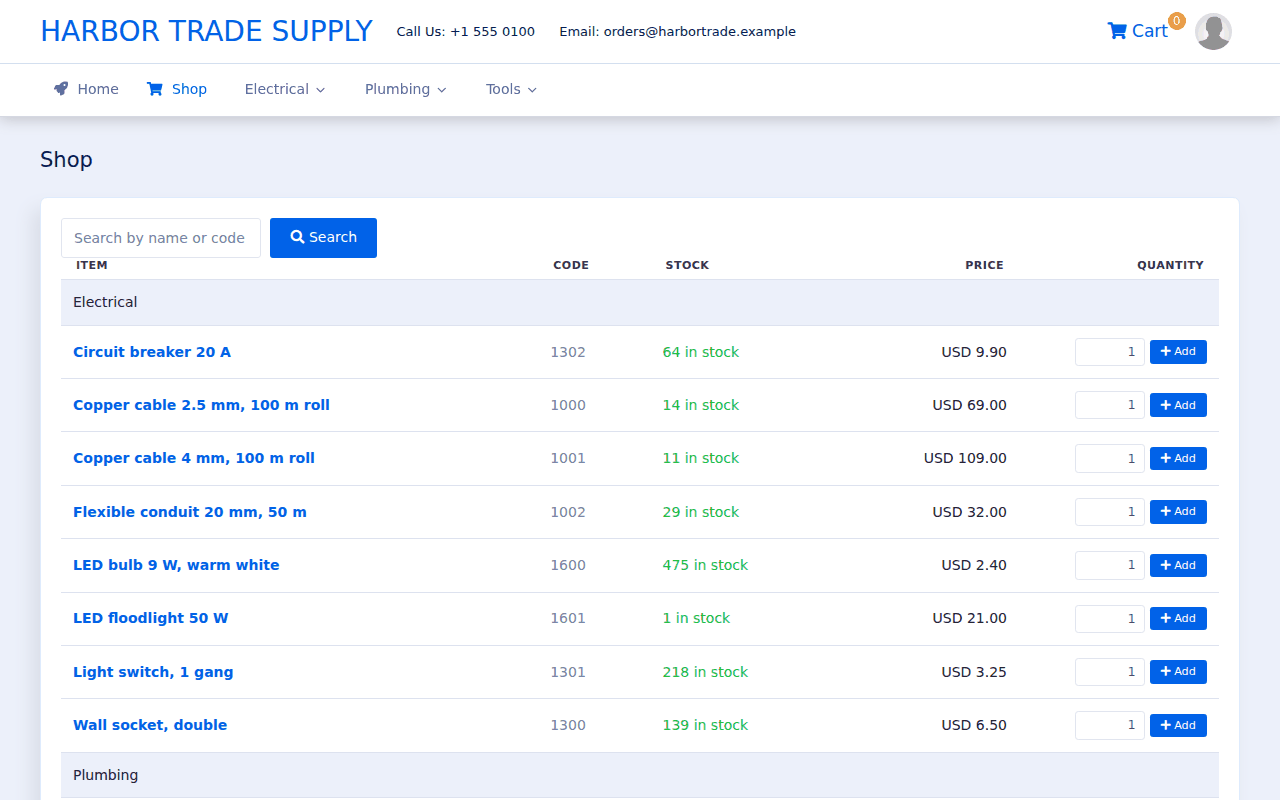
What your customer sees. A price list they can search, with stock and price for each item. They type a quantity, press Add, and when the cart is ready, Place order. They can add a note, such as a delivery date.
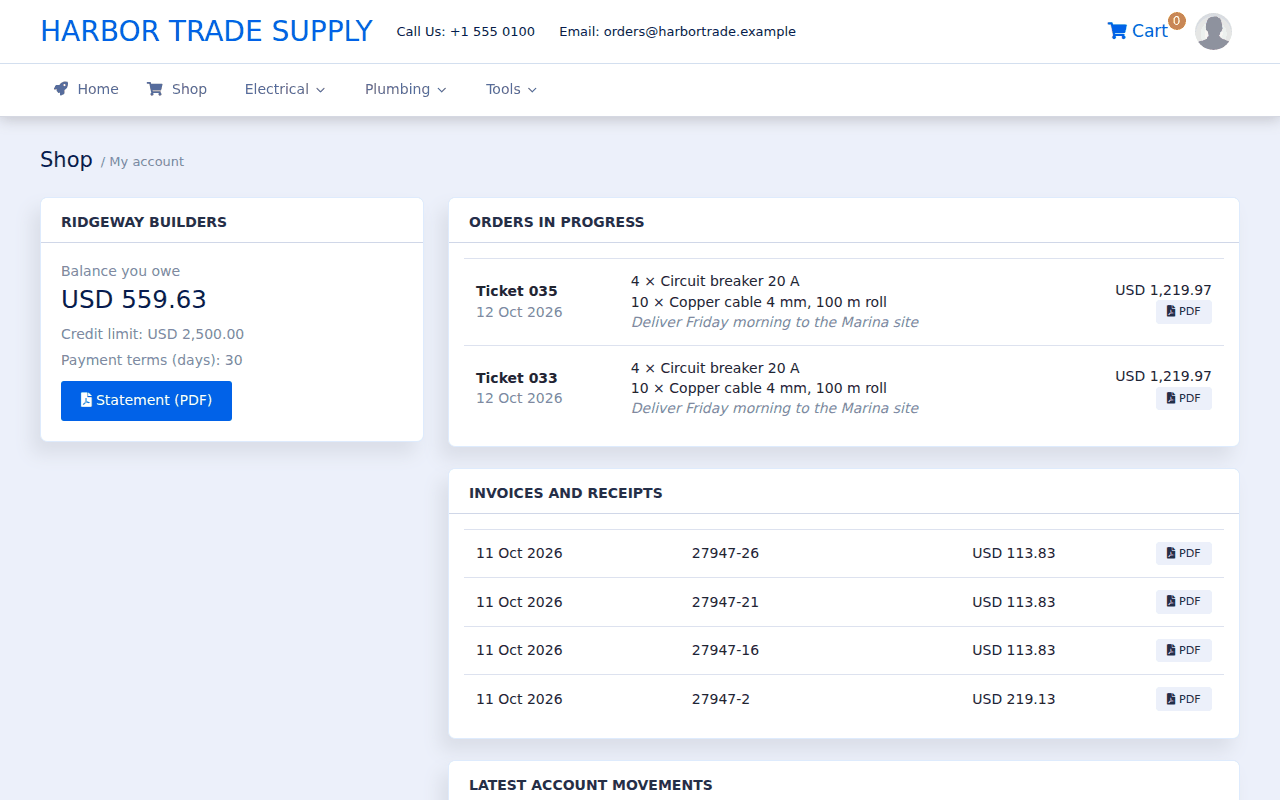
The customer also has a My account page with their orders in progress and their invoices and receipts as PDF. If they buy on account, it also shows the balance they owe and a statement.
Can a customer see another customer's orders or prices?
No. Each link signs in one customer, and they only see their own orders and documents. Everyone sees the same price list.
A customer lost their link, or it reached the wrong person.
Open the customer and press Make a new link, then send the new one. The old link stops working at once.
Do my customers need a password or an email address?
No. The personal link is all they need. Send it by WhatsApp or any other way.