
Your plan, add-ons and paying for Quid
See which plan you are on and when it ends, pay or renew, and add registers or team members.
See your plan
Go to .
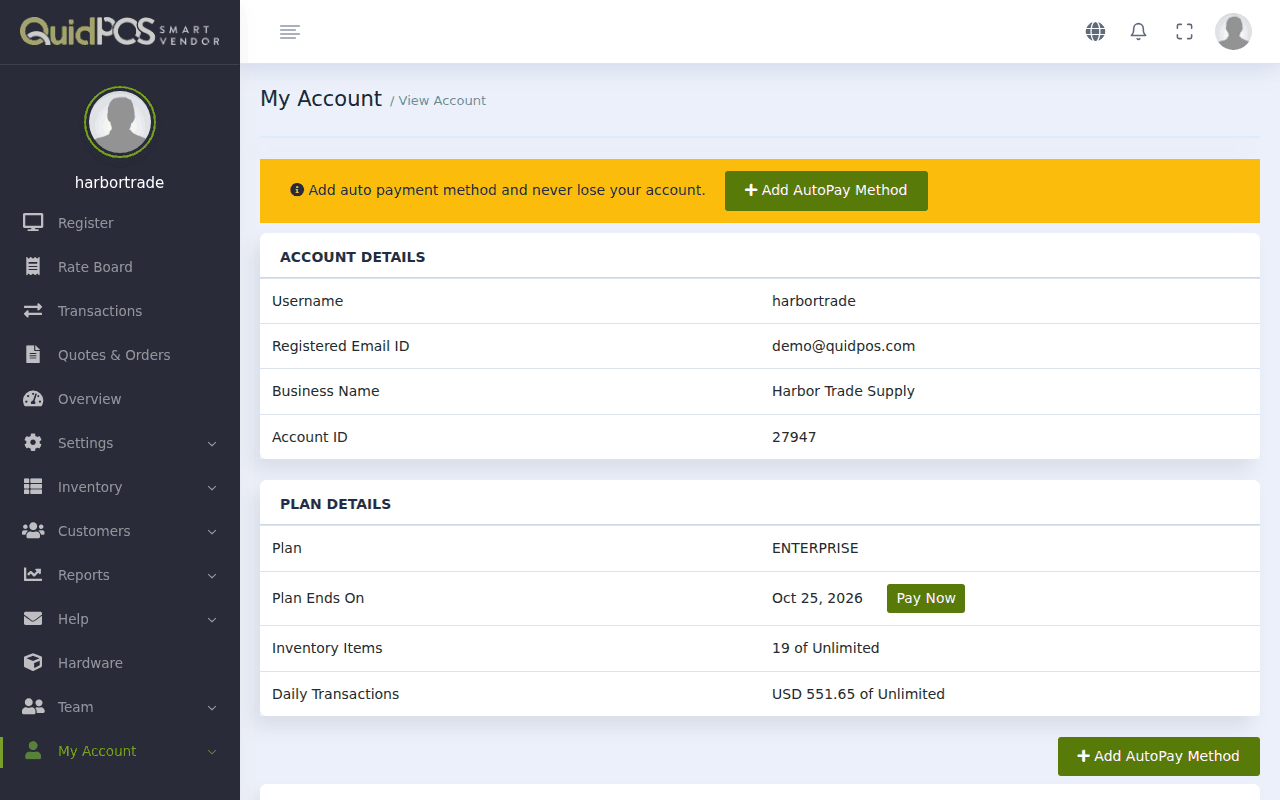
- Account Details: your username, registered email, business name and Account ID (the number your staff need to log in).
- Plan Details: your plan, the date it ends, and how much of it you are using.
The free trial
A new account starts with a free trial of the full plan, so you can try everything. The end date is shown under Plan Ends On. Quid reminds you before it runs out.
Prices
Current prices are always shown at . You can pay month by month, or pay for a year at a lower monthly rate.
Pay or renew
- Go to .
- Click Pay Now.
- Choose how many months to pay for.
- Follow the payment steps.
To avoid ever being locked out by a missed payment, click Add AutoPay Method. Quid then takes the payment by itself each month.
Add-ons
Extras are bought separately, under :
| Add-on | What you get |
|---|---|
| Registers | Another till. See Registers: one for each till. |
| Team Members | Another staff login. See Give a staff member their own login. |
| Reservations | Bookings and a calendar. See Reservations and bookings. |
| Online Store | Your own web shop. See Your online store. |
Click Buy Now beside the one you want. Your past purchases are listed under .
What happens if the plan runs out?
Your information is kept. You will be asked to pay before you can carry on selling. As soon as the payment is made, everything is back as you left it.
Does Quid take a percentage of my sales?
No. You pay for the plan and nothing else. There are no fees per sale.
How do I cancel?
Switch off Auto-Renew under , or remove your AutoPay method. Your plan then simply ends on its end date. If you want your account closed and your data removed, write to us.
I need an invoice for my payment.
Write to us with your username and the month, and we will send one.